Advertisement
Click to download now, finish the installation quickly, and directly unlock the all-round experience
Advertisement
Screenshots
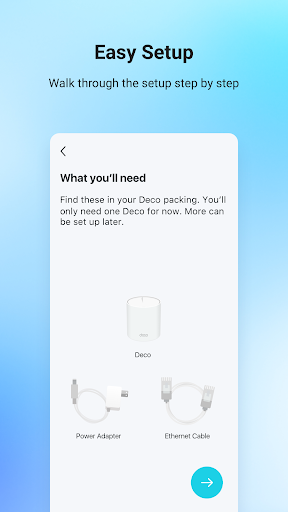
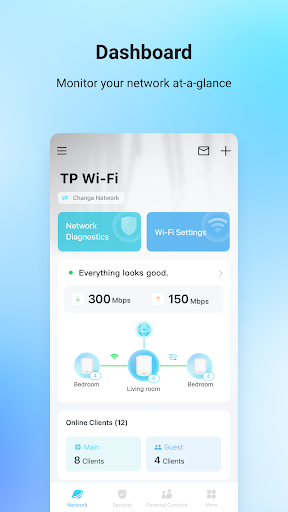
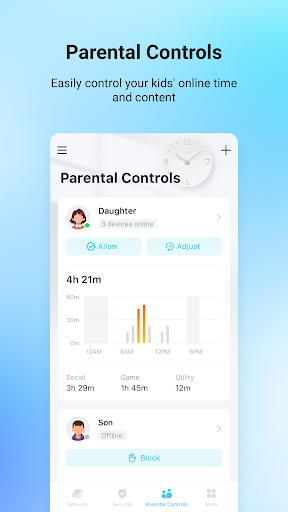
Click to download now, finish the installation quickly, and directly unlock the all-round experience
TP-Link Deco is the companion app for setting up and managing a TP-Link Deco mesh Wi-Fi network. It suits Deco owners who want to configure their home connection and check on it from a phone rather than a computer. The listing places it in Tools; its specific job is controlling a Deco network and the devices that use it.
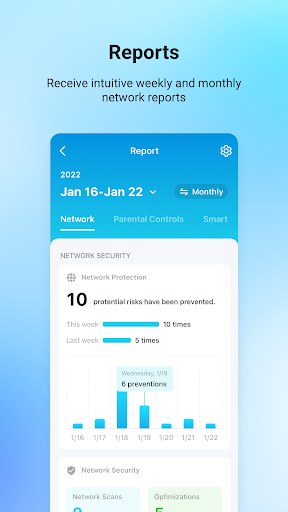
The app guides you through connecting Deco units and offers suggestions for where to place additional units for coverage. Once the network is running, you can check its status and speed, see which devices are connected, and block devices you do not recognize or want online. It also includes network performance tests.
For families, parental controls can set time limits, schedule access, or pause Wi-Fi for selected devices. Quality of Service (QoS) settings let you give chosen devices priority on the network, with schedules available for changing that priority at different times. The app can also create a guest network, keeping visitors’ access separate from the private network.
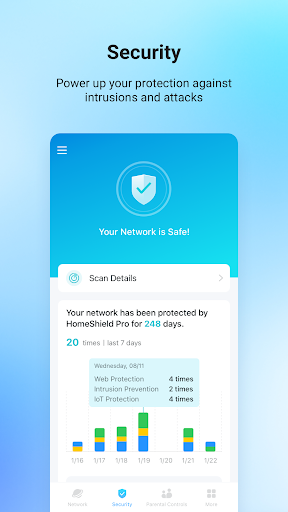
Some security features, including threat warnings and content blocking, are described as part of the app’s network controls. The app can also manage compatible smart-home devices such as cameras, plugs, and lights. Available features depend on the Deco model and software version, so not every network will have the same options.
TP-LINK SYSTEMS INC. is the developer. The listing shows a 4.64 rating from 246,861 reviews and 10,000,000+ installs. Those figures give a sense of the app’s reach, while the controls you can use still depend on your Deco equipment.